Creative software was once defined by individual tools. One application edited photographs, another handled video, a third produced presentations, and several more were needed to manage files, collect feedback and track approvals. That fragmented model is rapidly disappearing. Platforms such as Canva, Adobe Creative Cloud and Figma are expanding beyond their original specialties to support entire projects—from the first idea and strategic brief to production, collaboration, approval and publishing.
The result is a new category of digital workspace: the creative operating system. These platforms are no longer satisfied with being one stop in a company’s workflow. They want to become the central environment in which creative work is planned, produced, governed and delivered. It is an ambitious transformation that could simplify daily work, reduce software sprawl and make sophisticated production accessible to more people. It could also give a small number of platforms extraordinary control over how modern content gets made.
From Creative Tool to Operational Hub
Traditional creative applications were built around files. A designer opened an image, presentation or video, completed a task and exported the result for someone else to review. Project management, communication and distribution generally happened elsewhere. Every handoff created another opportunity for outdated versions, missing comments and mysterious files named “FINAL_v8_ACTUAL_FINAL.”
Today’s major platforms are trying to remove those handoffs. Documents, whiteboards, spreadsheets, presentations, videos, websites and social content can increasingly live within the same connected environment. Comments remain attached to the work, brand assets can be shared across formats, and teams can move from planning into production without repeatedly exporting and re-uploading files.
This changes the platform’s role. It becomes a system for coordinating people, assets, permissions and decisions—not merely a collection of editors. The creative file is no longer the end product of the software. It becomes one component in a larger operational workflow.
Canva Makes Its Operating-System Ambition Explicit

Canva has been among the clearest examples of this expansion. Its Visual Suite combines presentations, documents, whiteboards, spreadsheets, websites, video, email design and social content within a common interface. Multiple formats can be assembled inside one connected design, allowing a campaign to move from an early brief to customer-facing materials without being divided among unrelated applications.
Canva Sheets pushes the platform into data and productivity work, while Canva Code can produce interactive websites, applications and landing-page experiences that remain visually editable. Collaboration features add comments, tasks and simultaneous editing, while built-in brand controls help organizations keep colours, fonts, logos and templates consistent across teams.
Canva AI 2.0 extends that strategy by using conversation as a control layer across the suite. In its current research-preview form, it can interpret an idea, generate layered and editable creative work, assist with research and coordinate tasks across multiple formats. Instead of asking AI to make one isolated image, the broader goal is to help construct an entire campaign and then remain available as that campaign is revised, adapted and scheduled.
The important shift is not simply that Canva offers more tools. It is that those tools increasingly share context. A spreadsheet can inform a presentation, a document can become campaign material, and a brand system can follow the work from one format to another. That shared context is what makes the platform behave more like an operating system than a folder full of applications.
Figma Expands From Interface Design to Building and Publishing
Figma began as a collaborative interface-design platform, but its product range now reaches far beyond screen mock-ups. FigJam supports brainstorming and planning, Figma Slides brings presentations into the same collaborative environment, Figma Buzz produces branded assets at scale, and Figma Sites can turn designs into responsive published websites. Figma Make adds AI-assisted creation and code generation, while Dev Mode helps connect the design process with technical implementation.
Figma’s 2026 additions push this convergence further. Code layers allow functional code to be added directly to the design canvas, including material imported from an existing repository. Figma Motion brings production-ready animation into the same shared workspace, while Figma Weave is extending the platform toward AI-assisted image, video, animation, audio and visual-effects workflows.
This matters because product development has traditionally been broken into separate stages. Researchers gather information, designers create mock-ups, developers rebuild those ideas in code, marketers produce launch materials and stakeholders provide feedback through another system. Figma is attempting to shorten that chain by allowing more of those participants to work around the same evolving source.
The canvas therefore becomes more than a place to represent a product. It can contain the concept, visual system, interactive prototype, functional components, motion behaviour, marketing material and eventually the published experience. Figma may not replace every specialist application, but it increasingly wants to control the environment through which those specialists collaborate.
Adobe Connects Professional Creation With Workflow Management
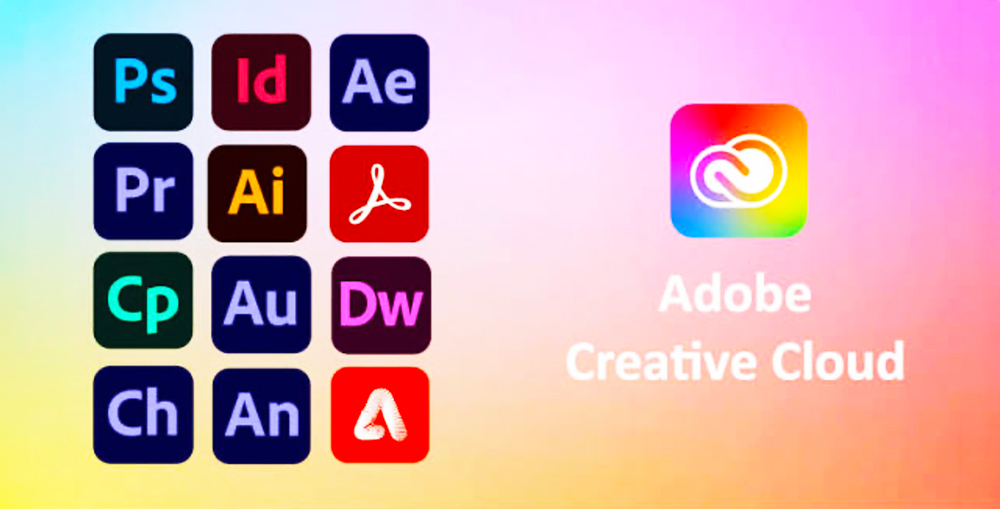
Adobe is approaching the same destination from a different direction. Rather than beginning with an accessible collaborative canvas, it already owns many of the professional applications used to create images, illustrations, video, audio, documents and digital experiences. Its challenge has been connecting those powerful applications into a smoother operational system.
Frame.io has become a crucial part of that effort. It centralizes work-in-progress assets, comments, versions, permissions and approvals across video, photography, design files, documents and PDFs. Integration with Creative Cloud applications allows teams to review material and act on feedback closer to the place where the work is produced. Adobe has also integrated Frame.io access into the Creative Cloud desktop application, making shared workspaces easier to reach from the broader suite.
Firefly adds a generative and automation layer. Adobe’s creative-production tools can assemble repeatable workflows for generating, editing and laying out content, including branching processes and reusable components. That allows an organization to create large numbers of variations while maintaining review stages and brand controls. Adobe Workfront and other enterprise systems extend the model into project planning, resource management and campaign operations.
Adobe’s version of the creative operating system is consequently aimed at high-volume professional production. Its advantage is depth: specialist creators can continue using tools such as Photoshop, Illustrator and Premiere while the surrounding platform manages assets, automation and approvals. The difficulty will be making the combined environment feel genuinely unified rather than like a neighbourhood of powerful applications connected by increasingly elaborate bridges.
AI Is Becoming the Control Layer
AI is accelerating this consolidation because it can operate across formats that once required separate technical skills. A single request might now produce campaign ideas, written copy, presentation slides, images, website elements and data summaries. The platform that understands the brief, brand rules, previous work and approval history has an obvious advantage over a standalone generator starting without context.
This is why creative AI is evolving beyond prompt boxes. Platforms are developing assistants and agents that can remain involved throughout a project, make coordinated changes and automate repetitive production. An AI system might adapt one campaign into several aspect ratios, rewrite it for different regions, check it against brand guidelines and prepare versions for review. The individual task may be modest, but connecting the tasks produces something much closer to an operational workflow.
Human expertise remains essential. AI can accelerate production, but creative direction still depends on judgement, cultural understanding, originality and accountability. The most useful systems will make it easy for people to inspect, edit and reject automated output. An operating system that saves time but hides its decisions would create a fresh problem while solving an old one.
Fewer Subscriptions, Fewer Handoffs
For businesses, consolidation offers a compelling economic argument. A unified platform can reduce the number of subscriptions, shorten training time and make brand resources easier to govern. It can also bring non-specialists into the process without requiring them to master professional software. A communications manager might update a presentation, adapt a social graphic and publish a basic webpage while specialist designers concentrate on higher-value work.
The larger benefit may be continuity. When briefs, data, assets, comments, approvals and final deliverables remain connected, teams spend less time reconstructing why a decision was made. Leaders gain clearer visibility into project status, while creators face fewer interruptions from administrative questions and scattered feedback.
That does not mean every company should immediately compress its workflow into one platform. Consolidation works best when the platform is genuinely strong across the tasks a team performs most often. Replacing excellent specialist tools with mediocre built-in alternatives can save money on paper while lowering the quality of the finished work.
Convenience Comes With Lock-In
The more a platform manages, the more difficult it becomes to leave. A conventional design file can often be exported, but an interconnected workspace may also contain comments, automation rules, reusable components, permissions, project history and AI context. Those operational relationships are much harder to transfer.
Organizations should therefore examine export options, file compatibility, data ownership, retention policies and administrator controls before treating any creative platform as essential infrastructure. They also need to understand how their material may be used by AI features and whether confidential projects can be isolated appropriately.
There is a cultural risk as well. Templates, automated layouts and shared AI systems can help maintain consistency, but they can also make unrelated brands sound and look increasingly similar. Creative efficiency should remove repetitive labour without removing productive friction—the experimentation, disagreement and unusual choices that give work its character.
The Next Software Battle Is Over the Entire Workflow

Creative platforms are now competing on a much larger field. Canva is stretching from accessible design into productivity, data, publishing and agentic creation. Figma is connecting ideation, product design, code, motion, branding and deployment. Adobe is combining professional production tools with asset management, automation and enterprise workflow control. Meanwhile, work-management platforms are adding their own creative review, asset and AI capabilities from the opposite direction.
No single platform has completely replaced the specialist creative stack, and many professional teams will continue to combine several systems. Yet the direction is unmistakable. The winning platforms will not necessarily be those with the longest feature lists. They will be the ones that preserve context across a project, connect specialists with non-specialists and allow work to move from idea to delivery with the least operational friction.
Final Byte
Creative software is no longer fighting merely to be the application that makes the asset. It is fighting to become the place where the brief begins, the team collaborates, AI assists, stakeholders approve and the finished work reaches its audience. That could make creative production faster and more accessible—but once one platform runs the whole studio, choosing it starts to feel less like buying an app and more like choosing the building everyone will work inside.