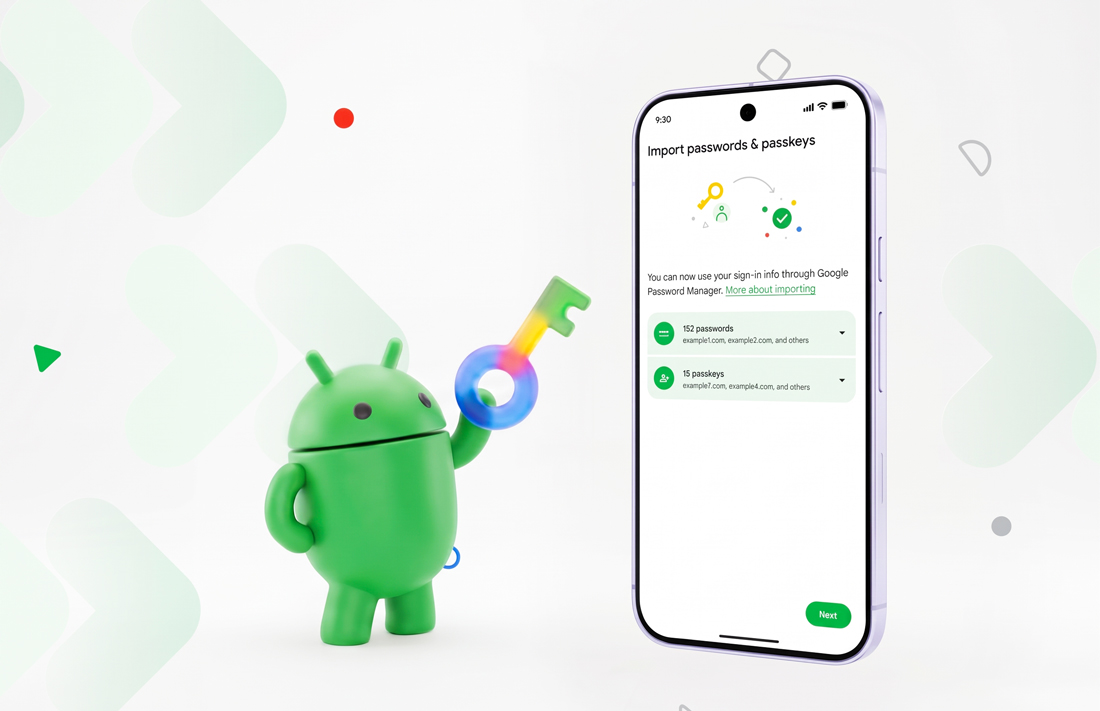
Changing password managers on Android has often meant exporting logins to a file that could expose them—or rebuilding passkeys one account at a time. Android’s new credential transfer feature offers a more direct route: move supported passwords and passkeys between participating apps on the same device, without downloading a transfer file.
To start, open the password manager you want to switch to and choose its option to import credentials from another app. Android checks for compatible managers on the phone, then sends you to the current manager to select and approve what moves. The transfer is coordinated by Android, and Google says the credentials move between the apps without being exposed to unauthorised apps or the operating system itself.
Google Password Manager, 1Password, Bitwarden and Dashlane support the feature at launch. Android’s transfer system works on Android 8 and later, but individual managers can set stricter requirements or require an app update and a current version of Google Play services. The feature also depends on both the source and destination apps supporting the transfer, so having them installed does not guarantee every type of saved item will move.
Before switching, check which credentials and other vault items the apps support transferring. Passwords and passkeys are the focus, but other entries—such as notes, payment details or verification codes—may be handled differently or left behind. Passkeys may also require an internet connection during transfer. Review the selection carefully, and check the destination vault afterwards for missing entries or duplicates.
Then test a few important logins and passkeys in the new manager. Confirm that autofill works in the apps and browsers you use, and make sure you can access the new vault on your other devices. Keep your old manager available until you have checked the transfer and confirmed that you can sign in. Switching managers does not update the passwords on your accounts; it changes where those credentials are stored.
Final Byte
Android is making password manager switching safer and less tedious by replacing the exposed-file routine with a system-coordinated transfer. That matters for passkeys, too: credentials that could be awkward to move are becoming more portable across supported services. Still, a smoother transfer is not a guarantee that every vault item will come along. Check compatibility, review the results and test your key accounts before retiring the old app.