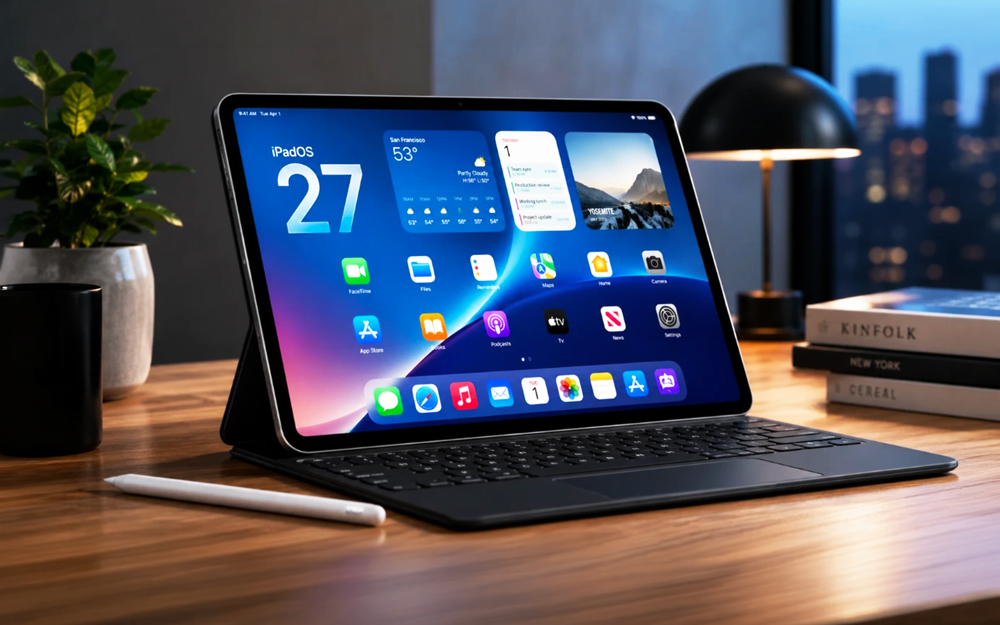
For years, the iPad has had enough processing power to compete with many laptops, yet its software often made that power feel strangely fenced in. Apple narrowed that gap considerably with iPadOS 26, which introduced freeform windows, a menu bar, stronger file management and more capable background processing. iPadOS 27 does not attempt another dramatic reinvention. Instead, it concentrates on making that new desktop-style foundation faster, more consistent and easier to use.
That may sound less exciting than a sweeping redesign, but it targets the part of the iPad experience that matters most: whether people can depend on it for an entire working day. As of August 2026, iPadOS 27 remains in beta ahead of its full release this fall. Based on the version Apple has previewed, the answer is increasingly yes — provided the required apps exist and the user does not expect an iPad to behave exactly like a Mac.
The Biggest Laptop Upgrade Arrived Before iPadOS 27
The most important context is that iPadOS 27 builds on a productivity overhaul that has already happened. iPadOS 26 gave the iPad a flexible windowing system with familiar controls for resizing, minimizing, closing and tiling apps. It also added an Exposé-style view of open windows, a systemwide menu bar, improved support for external displays and the ability to return windows to their previous sizes and positions.
That update also tackled several long-standing practical weaknesses. The Files app gained a more detailed list view, collapsible folders, customizable folder icons and the ability to place folders in the Dock. Users could choose default apps for specific file types, while the arrival of Preview made it easier to inspect, edit, annotate and fill out PDFs without hunting for a separate utility. Computationally intensive background tasks also became possible, allowing supported apps to continue longer operations while the user worked elsewhere.
iPadOS 27 is therefore less about turning a tablet into a computer overnight and more about making the computer-like features introduced last year feel mature enough to trust.
Small Interface Changes Make Work Feel More Natural
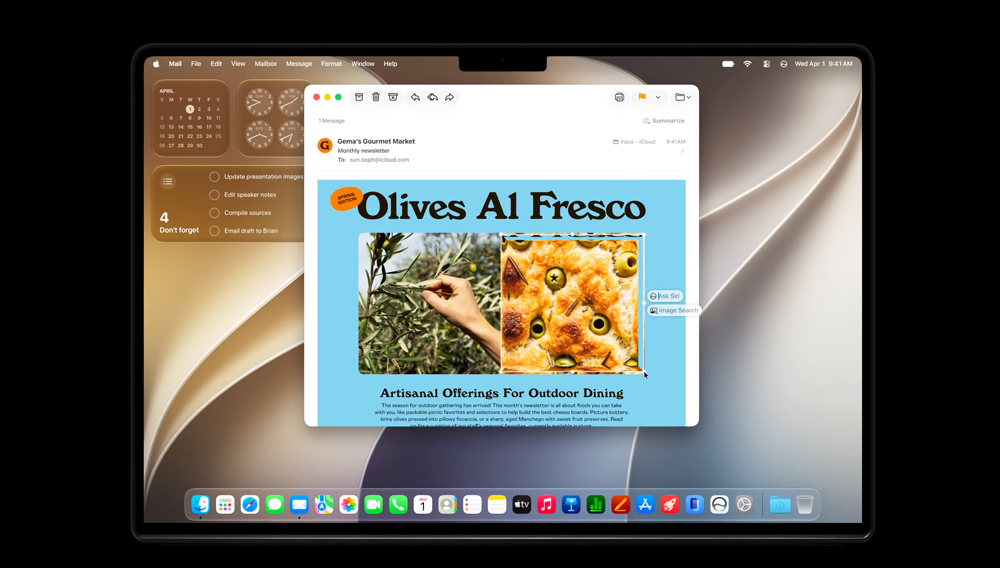
One of the most useful changes is the option to keep the menu bar visible instead of revealing it with a swipe or pointer movement. The active app’s name also appears in the status area, making it easier to identify which window has focus before using a keyboard shortcut. Neither feature will sell an iPad by itself, but both reduce the tiny moments of hesitation that can make prolonged desktop work feel awkward.
iPhone apps can also be resized under iPadOS 27. This does not magically turn a phone interface into a fully optimized tablet app, but it makes smaller or less frequently updated apps easier to fit into a multi-window workspace. Apple is also changing its development requirements so apps can no longer rely on a full-screen exemption to avoid resizing. Over time, that should produce a more consistent windowing experience across the platform.
For users working with a keyboard and trackpad, these details help the iPad behave more predictably. Combined with window tiling, the Dock, app menus and Exposé, the basic rhythm of opening documents, arranging apps and moving between tasks now feels much closer to a conventional desktop environment.
Faster Files Are a Bigger Deal Than They Sound
File handling has historically been one of the clearest dividing lines between iPadOS and macOS or Windows. iPadOS 27 does not turn Files into Finder, but Apple says browsing and transferring files between an iPad and an external drive can be up to five times faster. App launches and AirDrop transfers are also being accelerated, while an optimized CPU scheduler is intended to improve overall responsiveness.
These changes are not glamorous, but they directly affect professional workflows. Moving a large video project, opening folders on external storage or passing assets between devices should require less waiting. Smoother transitions between Wi-Fi and cellular connections could also help people who work while travelling or frequently move between offices, airports and client sites.
A laptop replacement has to be more than capable in a demonstration. It has to remain responsive when several apps are open, storage is connected and a deadline is approaching. Performance and reliability improvements may ultimately do more for that goal than another row of new icons.
Siri AI Becomes a Productivity Layer
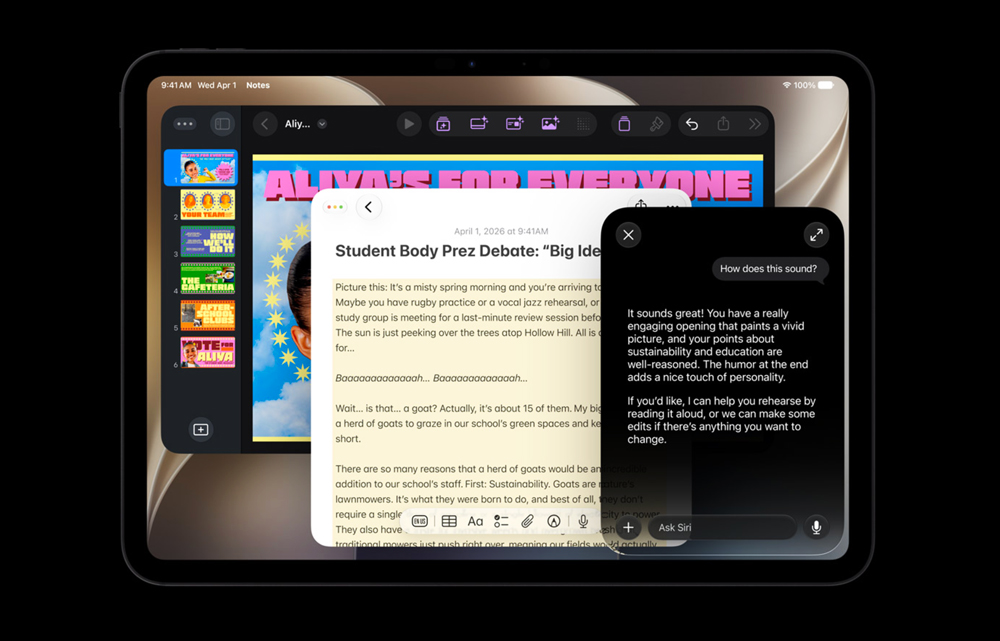
The headline feature in iPadOS 27 is Siri AI, an extensively rebuilt assistant with a dedicated app and support for natural, back-and-forth conversations. It can use personal context to locate information across emails, messages, photos, files and notes, answer questions about what is onscreen and perform actions in supported apps.
The iPad is particularly well suited to this approach because it is already used as a reading, writing and visual workspace. A user can ask about an item on the display by taking a screenshot, tapping it or circling it with Apple Pencil. Siri can generate or critique text where the user is typing, help organize typed or handwritten notes, and continue conversations that began on another Apple device.
Apple is also bringing more intelligence to the surrounding workflow. Safari can automatically group related tabs and monitor pages for changes such as restocks or price drops. Messages and Mail can suggest useful next actions based on a conversation. Shortcuts can be created from a plain-language description, including instructions that arrange apps when a keyboard is connected.
If these features work consistently in the final release, Siri AI could reduce the amount of manual searching and app switching that still slows the iPad down. It is important, however, to separate the operating-system release from the assistant’s rollout. Apple says iPadOS 27 will arrive this fall, while Siri AI is scheduled to launch in English later in the year. It will be limited to Apple Intelligence-compatible iPads, will not initially be available on iPad in the European Union and will not be offered in China at launch.
The Hardware Divide Still Matters
iPadOS 27 supports a relatively broad selection of recent iPads, including the ninth-generation iPad and newer, the sixth-generation iPad mini and newer, the fourth-generation iPad Air and newer, and supported iPad Pro models dating back to 2020. Not every compatible device receives every feature, however.
Siri AI and the next generation of Apple Intelligence require an iPad with an M1 chip or later, or the iPad mini with A17 Pro. That creates two versions of the iPadOS 27 story. Owners of older supported models will receive the interface, performance and system improvements, but the update’s most heavily promoted intelligence features will remain tied to newer hardware.
The best laptop-replacement experience will also continue to depend on accessories. A keyboard and trackpad make the windowing system far more practical, while some workflows may require a hub, external drive or display. Once those additions are included, an iPad setup can become less minimalist — and potentially less economical — than the tablet alone suggests.
Where a Laptop Still Wins
The remaining barrier is no longer raw performance. It is software compatibility and workflow flexibility. An iPad can now handle research, writing, presentations, spreadsheets, video calls, PDF work, illustration, photo editing and increasingly advanced audio or video production. For students, executives, writers, sales professionals, travellers and many small-business users, it may already cover nearly everything a laptop would do.
The calculation changes for people who rely on desktop-only applications, complex plug-in systems, specialized enterprise tools or full development environments. A software developer who needs Xcode, for example, still needs a Mac. Certain engineering, data, finance and production workflows may also depend on utilities or peripheral support that have no direct iPadOS equivalent.
Even when an iPad version of an app exists, it may not offer every feature found on macOS or Windows. The iPad’s multitasking is far more capable than it once was, but users managing many documents, several displays and numerous overlapping windows may still find a desktop operating system faster and more flexible.
So, Can It Replace More Laptops?
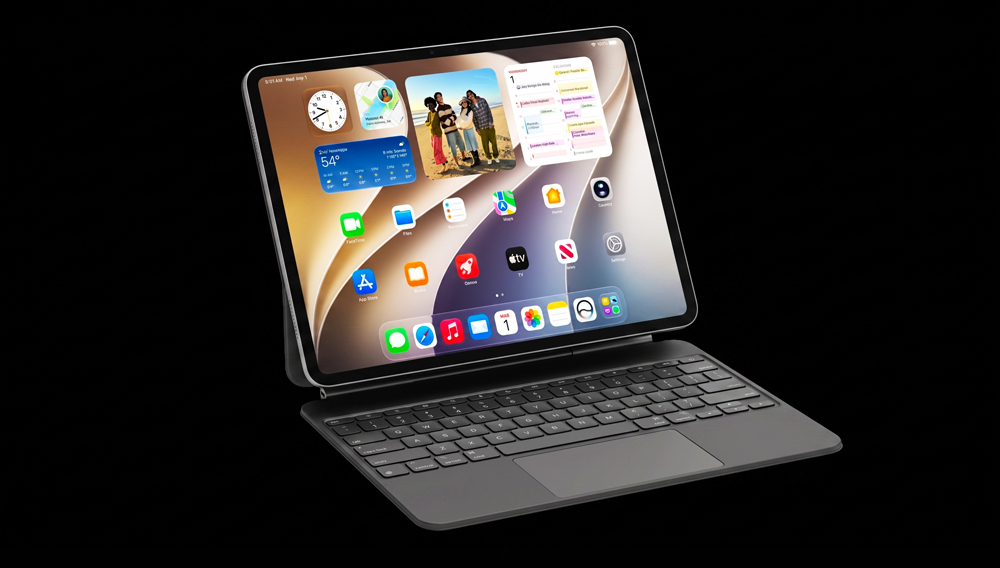
Yes — and the word “more” is the key. iPadOS 27 does not make the iPad a universal laptop replacement, nor does Apple appear interested in merging iPadOS with macOS. What it does is expand the number of people who can choose an iPad without accepting major compromises in everyday productivity.
For mainstream work built around the web, communications, documents, cloud services and creative apps, a modern iPad with a keyboard can now operate as a primary computer rather than a companion device. Its advantages remain distinctive: direct touch, Apple Pencil support, strong portability, optional cellular connectivity and a form that moves easily between desk, sofa and aircraft tray table.
For specialized professional work, a laptop is still the safer and often more efficient choice. The smartest decision is not to ask whether an iPad can imitate a MacBook, but whether every essential part of a particular workflow is available on iPadOS. If the answer is yes, iPadOS 27 makes the transition more convincing than ever.
Final Byte
iPadOS 27 is a refinement release built on a much larger change. Its faster file handling, more consistent app resizing, permanent menu bar option, system optimizations and deeper intelligence remove several of the frictions that have kept the iPad in a supporting role. It will not replace every laptop, but it no longer needs to. By making the iPad dependable for a broader range of real work, Apple may finally have reached the more practical goal: replacing the laptops many people never fully needed in the first place.