Adobe is bringing more than 70 creative and productivity tools into ChatGPT through a single unified plugin, turning the familiar chatbot into a workspace for editing photos, producing videos, designing marketing materials and building polished documents. The integration draws capabilities from Photoshop, Lightroom, Firefly, Adobe Express, Premiere, Acrobat, Illustrator, InDesign, Adobe Stock and other parts of Adobe’s ecosystem.
Launched globally in August 2026, Adobe for ChatGPT replaces the earlier collection of separate Adobe integrations with one connected experience. Users can describe an outcome, attach their files and let the plugin select the appropriate supported tools behind the scenes. It is a significant step toward a future in which people spend less time deciding which application to open and more time explaining what they want to accomplish.
One Adobe Plugin Instead of a Collection of Apps
The headline number needs some context. Adobe is not placing 70 complete desktop applications inside ChatGPT. It is providing access to more than 70 individual tools and capabilities drawn from its creative and document platforms. The integration does not include every Photoshop command, every Premiere editing function or the full precision of Illustrator and InDesign.
What changes is how those supported capabilities are organized. A user no longer needs to begin by choosing Photoshop for an image, Premiere for a video or Acrobat for a document. The conversation becomes the starting point, while Adobe’s plugin determines which tools are needed to complete the request.
After installing the plugin, users can call it by typing “@Adobe” in a conversation. They can then upload supported images, videos, documents or datasets and describe the intended result in ordinary language. The system can coordinate multiple actions without requiring the user to navigate through a row of menus, panels and export windows. In short, the software starts doing more of the app-switching.
What the Seventy-Plus Tools Can Do
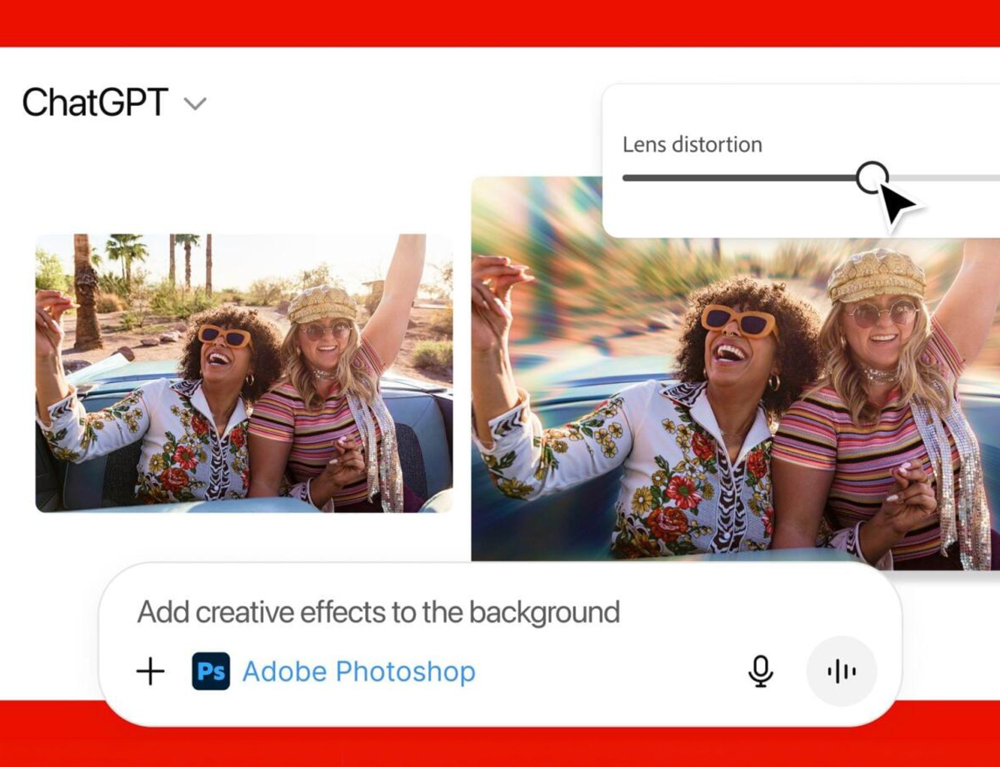
Adobe for ChatGPT covers four major areas: images, video, design and documents. For photography, users can adjust colour, lighting and tone across multiple images, apply a consistent visual treatment, remove unwanted objects, replace backgrounds, crop files, expand compositions and resize assets for different formats. Generative capabilities can also add or replace visual elements when the user is signed into an eligible Adobe account.
Video workflows include creating shorter cuts from longer footage, combining clips, building highlight reels and resizing content for platforms such as YouTube Shorts, Instagram Reels and TikTok. These are not replacements for the detailed timelines, audio tools and colour controls available inside Premiere, but they can handle the repetitive preparation that often surrounds a finished edit.
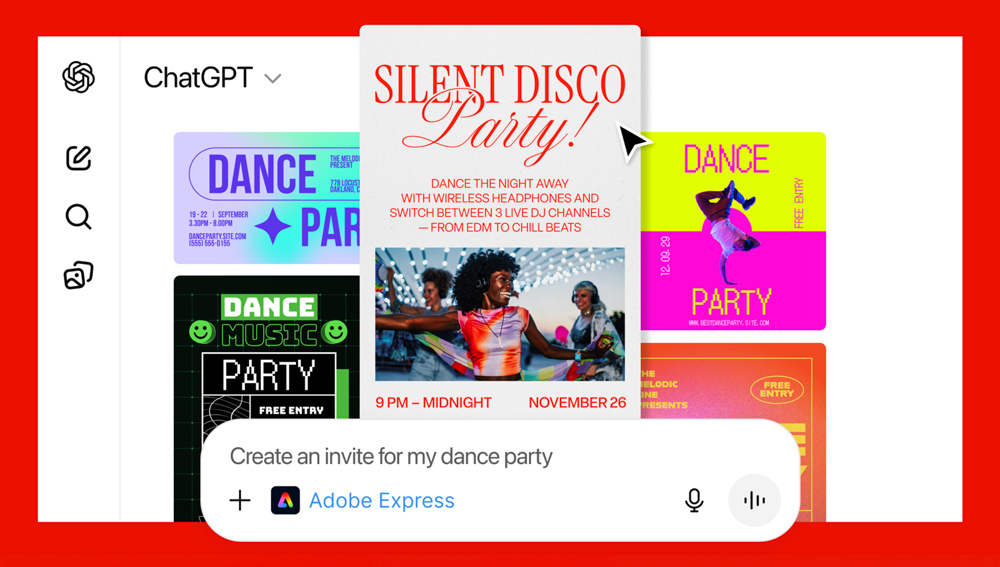
Adobe Express provides templates that can be discovered and customized through the conversation. A user can select a layout, change its text and colours, animate the design and convert the result into a shareable or printable PDF. Adobe can also turn structured data into batches of personalized materials, using spreadsheet rows to produce items such as event badges, real-estate flyers, cards and catalog pages.
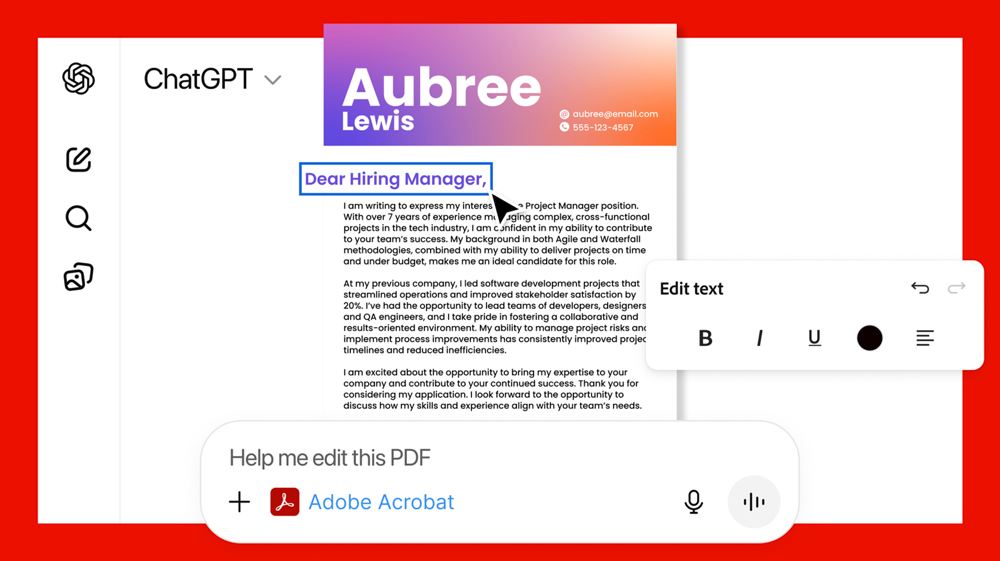
Acrobat expands the plugin beyond conventional creative work. Supported PDF tasks include creating, converting, combining, compressing, organizing and extracting information from documents. This makes Adobe for ChatGPT relevant not only to designers, but also to marketing teams, administrators, small businesses and anyone who has ever lost ten minutes looking for the correct “Export as PDF” button.
ChatGPT Becomes the Control Layer
The most important part of the integration is not any single editing feature. It is the way ChatGPT can connect planning and production within the same conversation. A user might begin by developing a campaign idea, move into visual directions, upload product photography, request a consistent treatment, create social-media versions and finish with a printable promotional document.
Previously, each stage would normally be divided among separate applications. Files would be exported, renamed, uploaded again and manually adapted for different channels. Adobe’s plugin attempts to preserve the project’s context while calling the appropriate tools as the work develops.
That could make ChatGPT increasingly valuable as an orchestration layer: the place where users establish their goals while specialized services perform the actual work. Adobe remains the creative engine, but the interface is shifting from commands and panels toward conversation.
A Lower Entry Point for New Creators
Professional software has traditionally required users to understand both the creative task and the application designed to perform it. Someone who simply wants to clean up a vacation photo may still need to learn about selections, masks, layers and adjustment panels before making a relatively basic change.
Adobe for ChatGPT reverses that relationship. The user can begin with the desired result—“remove the person in the background and brighten the subject”—without first knowing which Photoshop tools would normally accomplish it. That makes Adobe’s technology more approachable for people who do not identify as photographers, designers or video editors.
Many capabilities are available without signing into Adobe. Connecting a free Adobe account unlocks additional tools, generative AI workflows, Creative Cloud storage and the ability to continue supported projects across sessions. Certain advanced capabilities still require an eligible paid Adobe plan, so the plugin should not be interpreted as unrestricted access to the entire Creative Cloud catalogue.
Professionals Gain Speed, Not a Replacement Studio
For experienced creators, the strongest use case may be acceleration rather than automation. Batch adjustments, initial resizing, background replacement, template customization and document generation can consume considerable time without requiring the most valuable parts of a professional’s judgement.
Moving those tasks into a conversational workflow could allow teams to produce working drafts and channel-specific versions more quickly. A marketer could prepare several campaign formats from one source asset, while a photographer could apply a common treatment to a group of images before selecting the strongest files for detailed editing.
Adobe has deliberately preserved the path back into its native applications. Supported work can be saved to Creative Cloud when the user is signed in, allowing an image started in ChatGPT to be opened in Photoshop for layers, masks, compositing and pixel-level refinement. The plugin handles convenience; the full applications retain control.
The Limits Still Matter
Natural-language editing removes technical friction, but it does not remove the need for clear direction. Requests involving subtle brand standards, precise typography, complex page layouts or detailed video timing may still require several iterations and a final pass inside Adobe’s dedicated software.
Users also need to review generated assets carefully. A fast workflow can still produce incorrect text, awkward crops, inconsistent details or layouts that do not meet accessibility, print or platform requirements. When work contains client material, confidential documents or licensed assets, organizations should apply their existing approval and data-handling policies before uploading files to any connected AI service.
There is also a difference between making a technically complete asset and making an effective one. ChatGPT can help translate an instruction into actions, but it cannot guarantee taste, originality or a strong creative decision. Seventy tools are useful; seventy tools with a vague brief can still make a very polished mess.
Adobe’s Larger Platform Strategy
Adobe for ChatGPT shows how the company is adapting its software for an era in which the conversational interface may sit above traditional applications. Instead of requiring every customer to begin inside Creative Cloud, Adobe can place selected capabilities wherever people are already developing ideas and managing projects.
The unified plugin also gives Adobe a clearer presence inside ChatGPT. Rather than presenting Photoshop, Acrobat and Express as separate destinations, it offers one Adobe identity capable of working across different content types. That is particularly important as creative projects increasingly combine photography, generated imagery, video, social design and business documents.
For ChatGPT, the integration reinforces a parallel shift from answering questions toward completing practical work. The conversation can now become the brief, the editing session and the delivery channel—at least until the project demands the deeper control of a dedicated application.
Final Byte
Adobe for ChatGPT is not Creative Cloud squeezed into a chat window. It is a new front door to more than 70 of Adobe’s supported tools, organized around what the user wants to create rather than which application they know how to operate.
That distinction gives the plugin its real significance. Beginners gain access to professional capabilities through everyday language, while experienced creators gain a faster route through repetitive production work. Adobe’s full applications are not disappearing; they are becoming the precision layer behind a more conversational creative process.