

M5 Joins the Lineup — What’s New Under the Hood
The 2025 M5 MacBook Pro brings Apple’s latest silicon architecture with a 10-core CPU (4 performance + 6 efficiency), a 10-core GPU, and a next-generation 16-core Neural Engine. It also introduces dedicated Neural Accelerators inside each GPU core, dramatically improving on-device AI performance.
Memory bandwidth gets a major boost, climbing to around 153 GB/s, helping with high-resolution editing, AI workloads, and heavy multitasking. Storage speeds are also improved for faster app launches and file operations.
Overall, M5 is built for users who push their machine into pro territory — especially those leaning into creative workflows and AI-driven tools.
Real-World Performance — Everyday Use, Creative Workflows & AI Tasks
For casual tasks, all three chips — M3, M4, and M5 — feel smooth. The difference appears when workloads get intense.

- Creative performance: Video editing, high-res photo processing, animation, and 3D rendering all see meaningful gains on M5 thanks to its stronger GPU and faster media engines.
- AI-enhanced tools: The M5’s Neural Accelerators significantly speed up AI-heavy workflows like generative fill, local model tasks, and real-time editing effects.
- Multitasking: With higher memory bandwidth and more efficient cores, M5 handles dozens of tabs, background tasks, and pro apps more gracefully than M4 or M3.
- Everyday use: Browsing, writing, streaming, email — everything feels snappy across the lineup, with improvements becoming most noticeable for heavy professional workloads.
If your workflow hits the CPU, GPU, or Neural Engine hard, M5 stands out clearly.
Battery Life & Efficiency — Has M5 Made a Difference?
M5 continues Apple’s efficiency trend. Under light to moderate use, battery endurance remains similar to M4 — excellent and consistent.
Under heavier workloads, the M5 manages heat and power slightly better, giving longer sustained performance before the battery takes a hit. Creators working unplugged will notice these gains more than everyday users.
If most of your time is spent on casual tasks, all three chips offer excellent all-day battery life. If you’re working in Final Cut or Lightroom on a plane, M5 stretches those minutes a little further.
Upgrade Value — Who Should Upgrade and Who Should Wait?

You can skip or wait if:
- Your workflow is light: browsing, writing, email, meetings, streaming.
- You already have an M3 or M4 that feels fast and stable.
- Budget or cost-to-performance ratio matters most to you.
You should consider upgrading to M5 if:
- You use your MacBook for professional creative work: video, 3D, design, or heavy photo editing.
- You rely on AI tools or local machine-learning features — M5’s accelerators make a real difference.
- You multitask aggressively across several pro apps and browser windows.
- You want the most future-proof option for the next several years.
Real-World Picks: Which MacBook Makes the Most Sense?
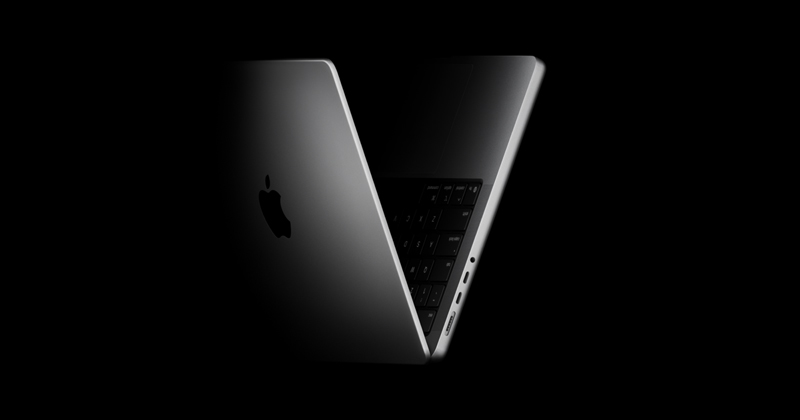
Best for Power Users & Creators: M5 MacBook Pro
For professionals who demand speed, AI performance, and long-term relevance, the M5 is the most capable and forward-looking choice.
Best Value for Everyday Use: M3 or M4 MacBook Air
Great for students, travelers, writers, and general productivity users who don’t need the muscle of a Pro machine.
Best Middle-Ground Choice: M4 MacBook Pro or Air
A solid balance of performance and price that benefits heavier users without the premium of M5.
Final Byte
If your MacBook is a creative or AI-focused workhorse, M5 is the upgrade that pays off daily. If your usage is light or moderate, the M3 and M4 families still offer exceptional value — smooth, efficient, and built for the long haul.